[Open Source] A Unified Security Management Platform Solution with Automatic Code Generation, Based on .NET8

Open SourceProcess Management
2026-06-28 04:52 2 次浏览 • 0 次下载 0KB
[Open Source] A Unified Security Management Platform Solution with Automatic Code Generation, Based on .NET8

1. Project Overview

Ruyi Admin is an enterprise-grade WEB RBAC unified security management platform solution featuring frontend-backend separation, automatic code generation, .NET 8, cross-platform support, low-code development, distributed architecture, multithreading, high performance, 4A authentication support, and compliance with Level 3 requirements of China's Classified Protection of Cybersecurity.

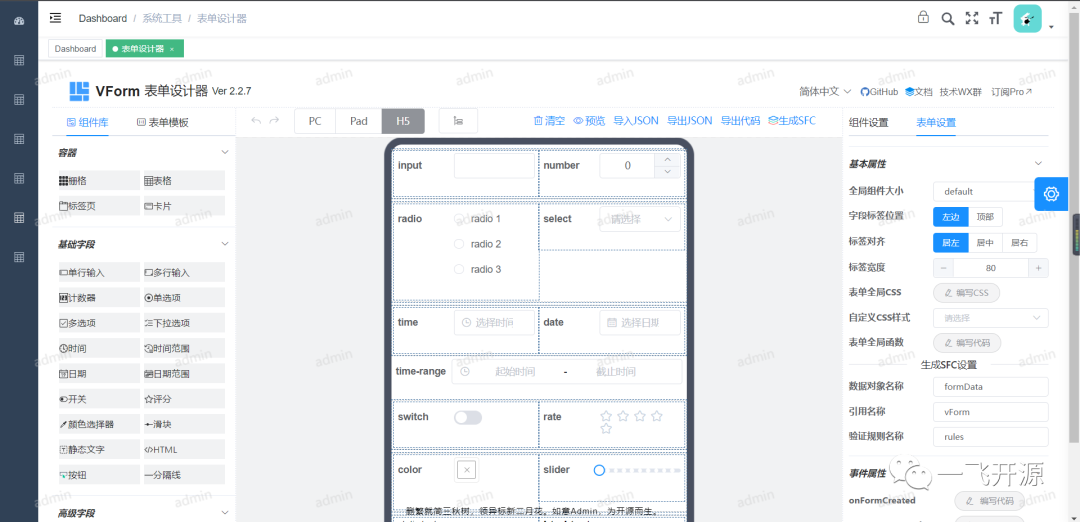
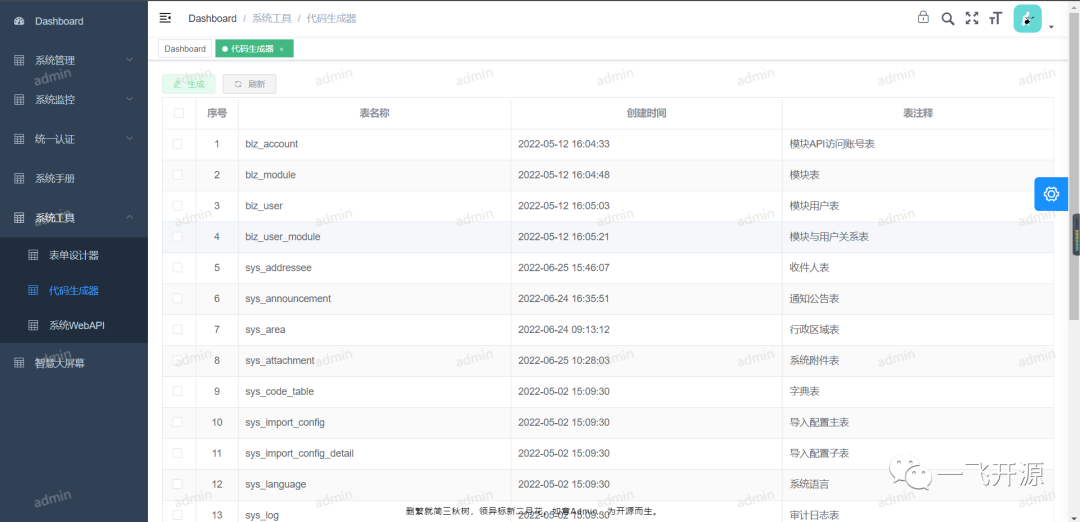
RuYiAdmin supports intelligent large-screen dashboards. It can generate code for the view layer, controller layer, service layer, repository layer, domain layer, and DTO business model layer for multiple business modules with a single click. It integrates the VForm form designer, supporting form design and preview for PC, Pad, and mobile H5 pages.
The ORM uses SqlSugar. Relational databases include MySql, SqlServer, Oracle, PostgreSql, and OpenGauss, with support for multiple data sources. Non-relational databases include Redis, MongoDB, Elasticsearch, and Meilisearch.
The message bus supports ActiveMQ, RabbitMQ, Kafka, and Redis. The enterprise-level configuration center supports Ctrip Apollo. It supports unified exception handling and RateLimit throttling. It supports service discovery, health checks, circuit breaking, and service degradation. It supports MiniProfiler API performance analysis. It supports the distributed transaction solution CAP and the EventBus event bus. It supports distributed task management and scheduling. It supports FTP, FXP, FTPS, and SFTP. It protects against SQL injection and token hijacking. It supports domestic SM encryption algorithms. The gateway supports Ocelot.

2. Open Source License

Licensed under Apache-2.0

3. Screenshots

System Screenshot

  • Starfield Particle Login Page (Default Password: 123456)  
    ImageImage
  • System Home Page Image Image Image
  • Organization Management Image

  • User Management Image

  • Menu Management 

  • Image
  • Role Management Image

  • Data Dictionary Image

  • Audit Logs Image Image

  • Import Configuration and Data Import Validation Image Image Image Image

  • Online Task Scheduling Image

  • System Multilingual Management Image

  • Administrative Region Management Image

  • Notification and Announcement Management Image Image Image Image

  • Online User Management Image

  • Server Monitoring Image

  • System File Statistics Image

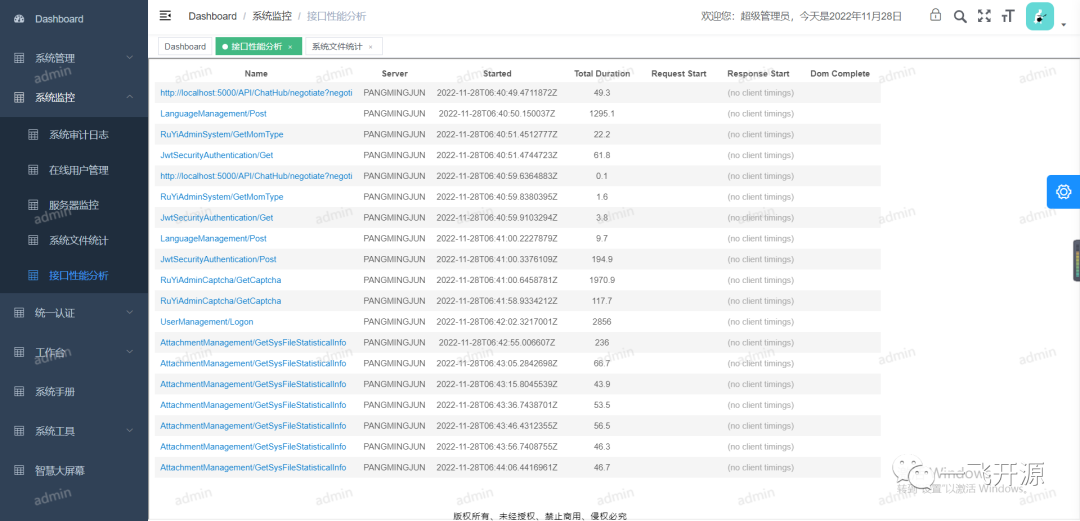
  • API Performance Analysis Image

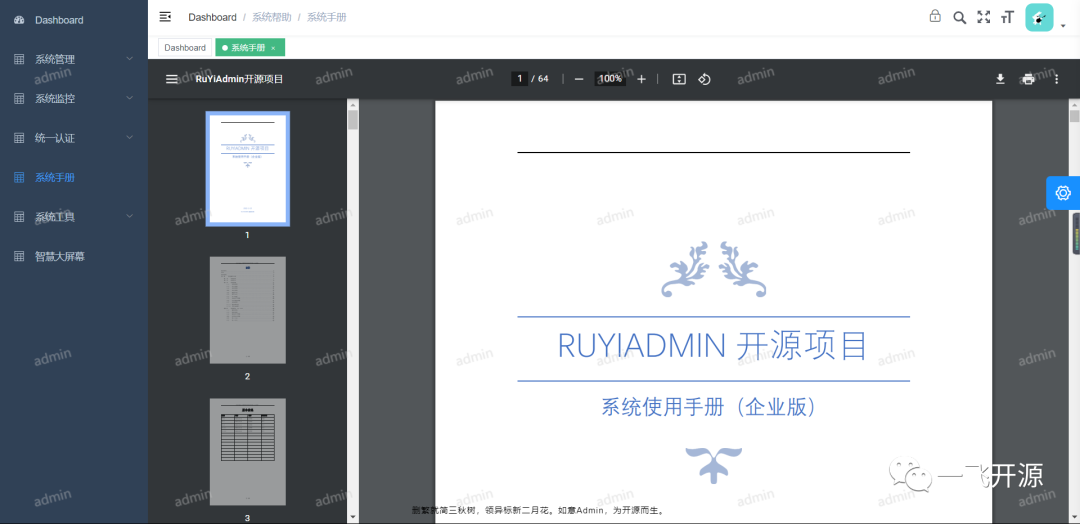
  • System Manual Image

  • Form Designer Image

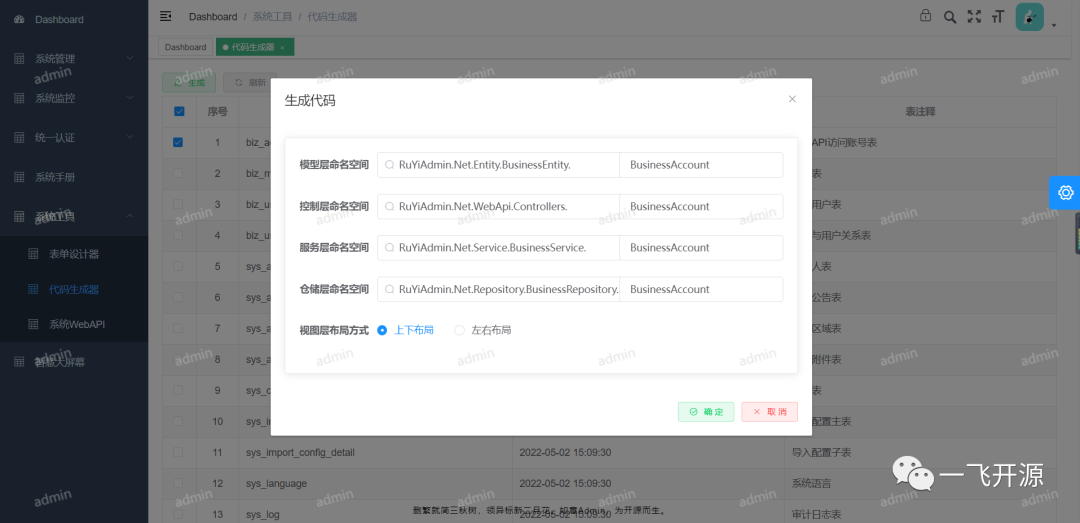
  • Code Generator Image Image Image

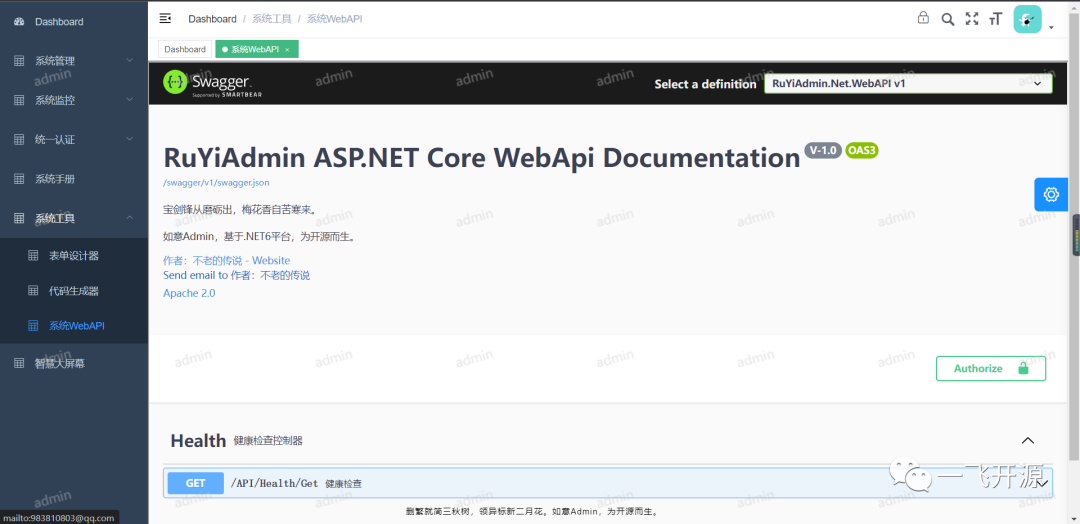
  • System WebAPI Image

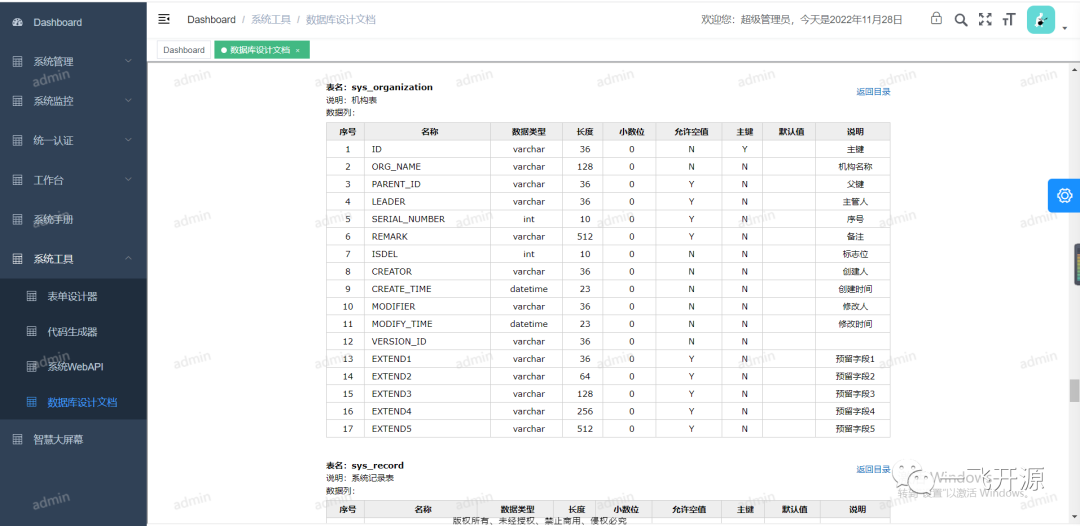
  • System Database Design Documentation Image

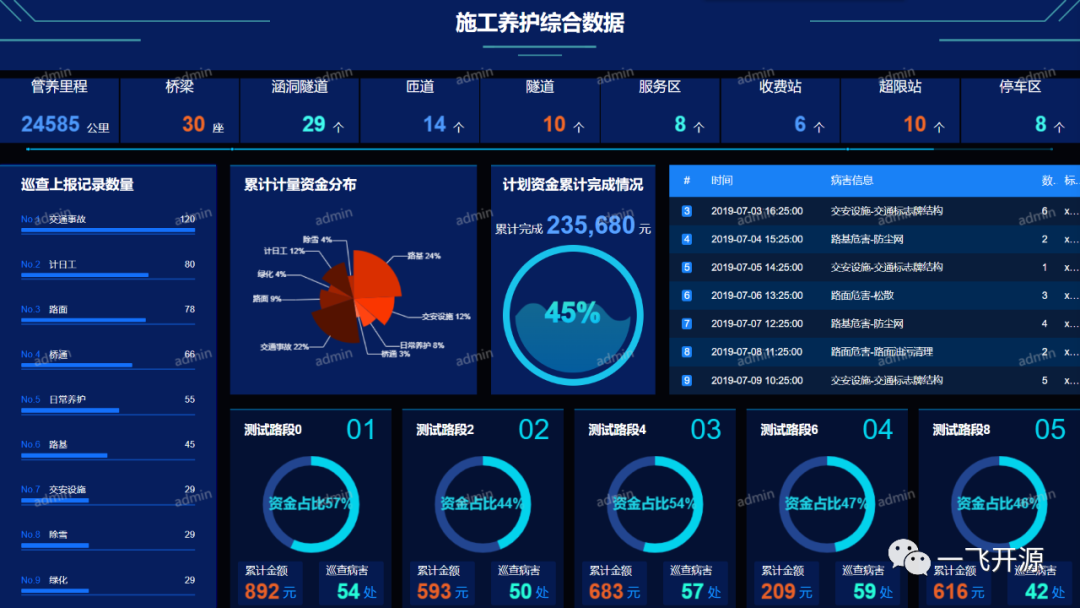
  • Intelligent Large-Screen Dashboard 

  • Image
  • System Integration and Unified Authentication

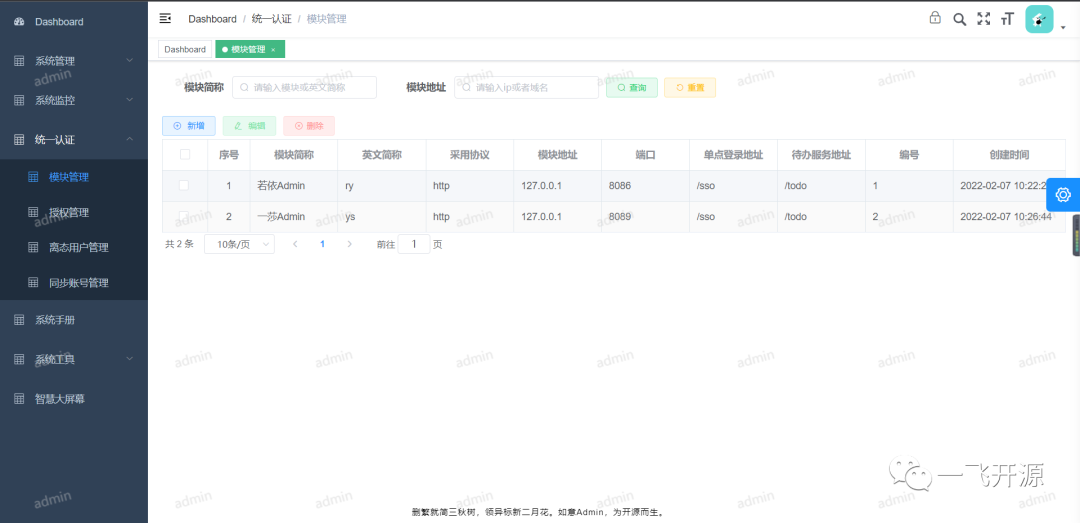
  • System Integration Image

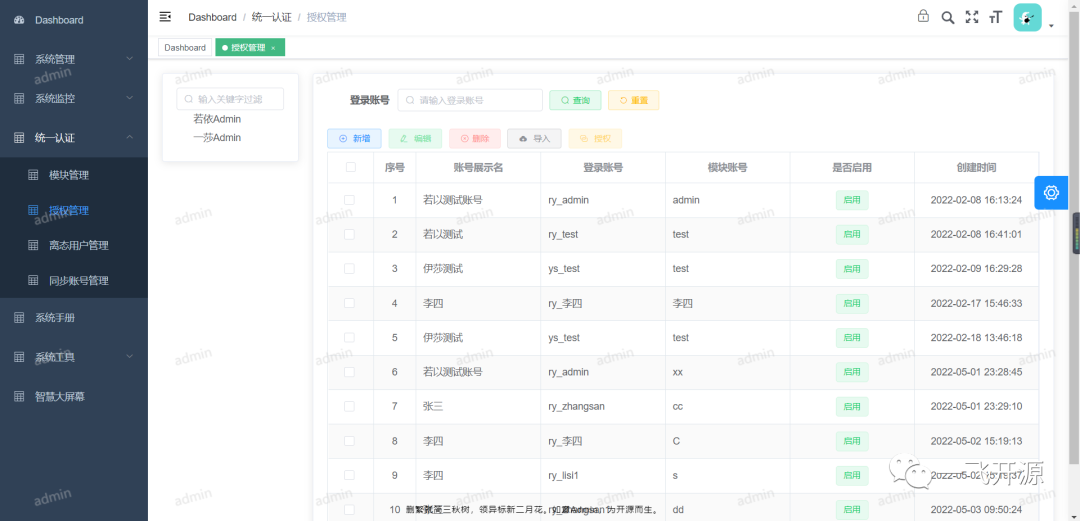
  • Unified Authorization Image

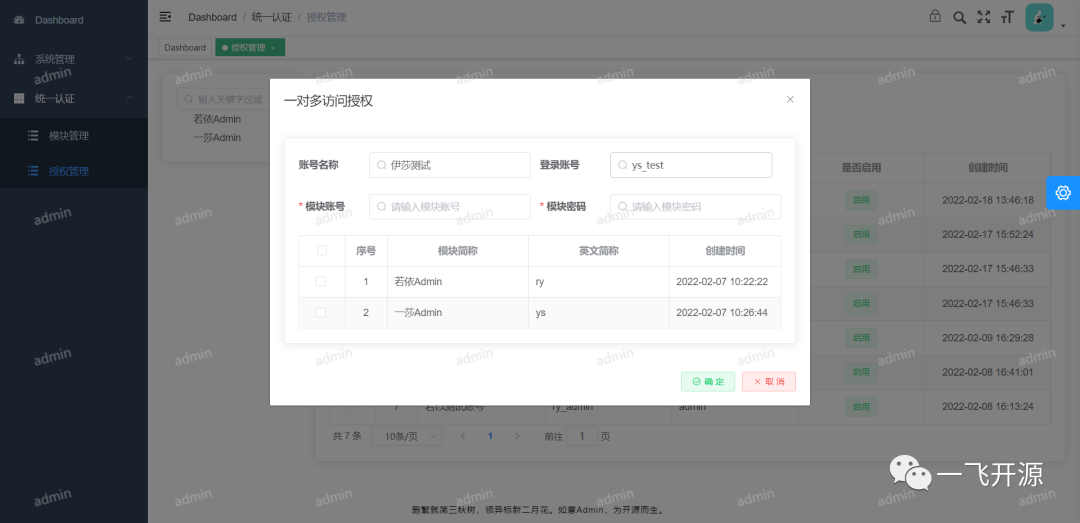
  • One-to-Many Authorization Image

  • Unified Authentication [http://localhost:9527/#/appLogin ](http://localhost:9527/#/appLogin\ );Image

  • Unified Access Image

  • swagger Image Image

4. Feature Overview

Project Advantages

Frontend Framework
  Uses Vue2, with Element UI as the UI framework and Vue Element Admin as the application framework.
  Provides unified encapsulation for common APIs.
  Provides comprehensive encapsulation of the BasePage interface and common methods.
  Supports screen locking and watermarks.
  Supports visibility control for buttons and views.
  Supports granular authorization at the button and view levels.
  Supports delegated permission assignment.
  Supports intelligent large-screen dashboards.
  Supports multilingual business content at the view layer.
  Supports the VForm form designer, including form design and preview for PC, Pad, and mobile H5 pages.
  Supports encrypted communication for sensitive data.
Backend Framework
  Built on the .NET7 platform.
  Supports cross-platform deployment.
  Supports Linux Docker.
  Supports system integration and unified authentication (for user groups from different sources).
  Uses ASP.NET Core Web API, which can be used to build standalone services or support frontend business operations.
  Uses Swagger as the Web API management tool, with detailed annotations for APIs and Models.
  Supports API route whitelists and flexible configuration of Request Headers validation.
  Uses JwtSecurity authentication to prevent Web API abuse.
  Provides a unified data response format.
  Provides powerful query conditions and supports custom frontend queries.
  Supports multilingual menus.
  Supports one-click generation of view layer, controller layer, service layer, repository layer, and domain layer code for multiple business modules.
  Supports online preview of system help documentation.
  Supports hot loading and hot updates of configuration information.
  Supports automatic AOP monitoring of user behavior.
  Supports automatic AOP authorization checks for user behavior.
  Uses AutoFac for automatic dependency injection.
  Supports log4net and console log output.
  Supports management and scheduling of Quartz jobs and distributed scheduled tasks.
  Uses SqlSugar as the ORM, supporting multiple databases and multi-tenancy.
  Implements a flexible and efficient underlying SQL access layer, supporting SQL hot loading and hot updates, as well as separation of SQL from code.
  Supports read/write splitting with one primary database and two replicas.
  Supports optimistic locking for concurrency control.
  Supports large-scale data insertion and updates.
  Supports massive data insertion and updates.
  Supports logical and physical data deletion.
  Provides a unified base model and supports customized Excel exports and standard validation for Excel imports.
  Supports relative paths, absolute paths, and NAS storage.
  Supports AutoMapper for automatic conversion between POCO and DTO.
  Supports real-time messaging.
  Supports immediately kicking disabled users out of the system in real time.
  Supports thread pools and multiple tasks.
  Supports service circuit breaking and degradation.
  Supports email alerts for circuit-breaking events.
  Supports Consul service governance and health checks.
  Supports concurrency limits.
  Supports RateLimit throttling.
  Supports unified exception handling.
  Protects against SQL injection.
  Protects against token hijacking and API penetration attacks.
  Supports OCR.
  Supports MongoDB.
  Supports ES full-text search.
  Supports the Apollo configuration center.
  Supports API performance analysis.
  Supports distributed transactions through Cap and EventBus.
  Supports FTP, FXP, FTPS, and SFTP.
  Supports domestic SM encryption algorithms and internationally recognized advanced Rsa and Aes encryption algorithms.
  The Gateway supports ocelot.
Database
  Provides a visual ER relationship model.
  Relational databases include MySql, SqlServer, SQLite, Oracle, PostgreSQL, and OpenGauss.
  Provides one-click database initialization scripts.
  Supports automatic database creation.
  Non-relational databases include Redis, MongoDB, Elasticsearch, and Meilisearch.
Middleware
  Supports high-speed Redis caching and Sentinel-mode clusters.
  Integrates ActiveMQ and supports MQ clusters combining Master Slave and Broker Cluster modes.
  The message bus supports ActiveMQ, RabbitMQ, Kafka, and Redis.

5. Tech Stack

Software Architecture

Image

System Design Philosophy

Image

Installation Guide

1. Install Redis.
2. Install ActiveMQ. RabbitMQ is also supported.
3. Install the MySQL database. Supports one primary database and two replicas, with read/write splitting. The author uses MySQL 8. If you are building a read/write splitting cluster based on mycat, MySQL 5.7 is recommended.
Supports automatic database creation. Set AutomaticallyBuildDatabase to true and modify the SqlScript Path script directory. The database will be created automatically when the system starts.
The system also supports SqlServer (2019), Oracle (19c), PostgreSQL (14), and SQLite databases.
Audit logs are stored in the non-relational MongoDB database by default (MongoDB must be installed to store logs in a non-relational database). Elasticsearch is also supported for full-text search.
4. Install NodeJs.
5. Clone the source code.
6. Initialize the database. The database schema and data are located under webapi/RuYiAdminData/DataModel and DataStructrue.
If you are using an older version of MySQL, you may need to modify the database initialization scripts.
7. Modify the configuration. Update the Redis, ActiveMQ, Mysql, and MongoDB connection strings in the backend appsettings.json file. The frontend MQ configuration is located in src/constants/active-mq.js.
8. Frontend system. The frontend management directory is located at webvue/wwwroot. Visual Studio Code, an open-source editor, is recommended. For frontend usage, refer to the official Vue Element Admin website.
9. Backend system. The backend is developed using Visual Studio 2022. Please use the latest version. Right-click the solution, configure multiple startup projects, and start Gateway and WebApi simultaneously.
#1
资源直链https://gitee.com/pang-mingjun/RuYiAdmin
去下载
星河码客

发现和分享优质开源项目,传承互联网精神,为开发者服务。

关于本站

联系我们

微信/广告合作:ITcloub (备注星河码客)

免责声明:本站资源版权归原作者所有,仅供学习与交流。如有侵权,请通过「关于我们 - 侵权投诉」联系删除。

Powered by Nuxt · Deployed on Cloudflare