[Open Source] A Powerful, High-Concurrency Web Development Framework Built on Netty

Open SourceProcess Management
2026-06-28 04:52 3 次浏览 • 0 次下载 0KB
[Open Source] A Powerful, High-Concurrency Web Development Framework Built on Netty

1. Project Overview

Image

HServer is a powerful, feature-rich, flexible, lightweight, low-intrusion, and high-concurrency Web development framework built on Netty.

2. Open Source License

Licensed under Apache-2.0

3. Screenshots
Image

4. Feature Overview

Features

  • Simple and Easy to Use — Master It in Just 5 Minutes

  • Build High-Performance APIs Quickly

  • Built Directly on the TCP Layer

  • RESTful-Style Routing Design

  • Cron Scheduler

  • Filter Interceptor

  • Persistent Queue

  • HOOK/AOP Components

  • Track Link Tracing Component

  • Web Socket Functionality

  • Mqtt WebSocketMqtt Functionality

  • Custom Protocols

  • Flexible Proxy Processing

  • ApiDoc Documentation Component

  • Permission Component

  • Flexible Extension with Plugin Components

  • HUM Messages

  • High Performance

  • Highly Flexible Control

  • Traffic Shaping

  • Native Netty Response Support with Custom Extensions

5. Tech Stack

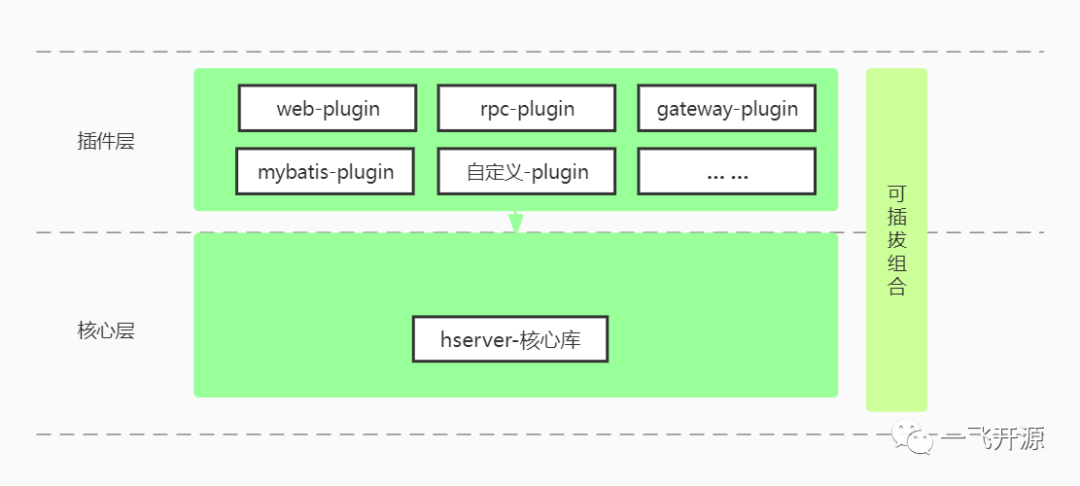
Concept Diagram
Image

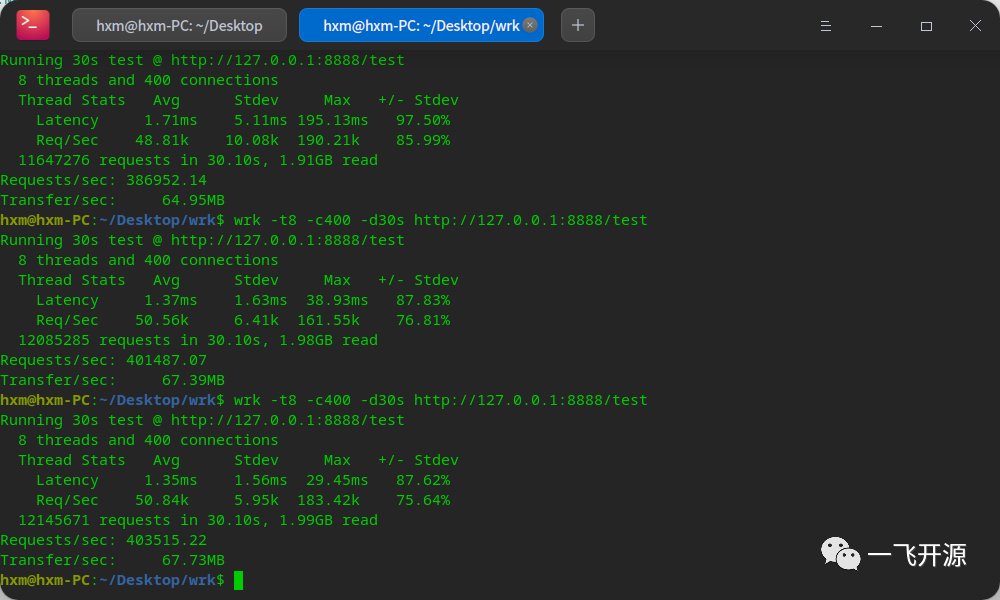
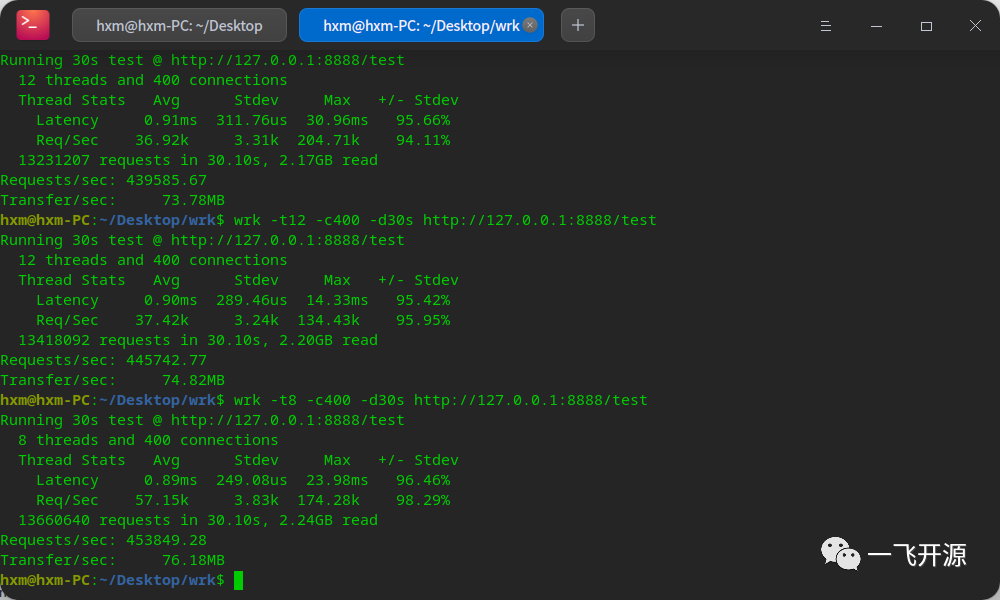
Stress Test Data: DeePin 8h 16g i7-9700k

Worker Thread Pool
Image

50 Business Threads by Default

Image

Experience a HelloWorld Example

1. Create a Maven project and import the dependencies.

<parent>
    <artifactId>hserver-parent</artifactId>
    <groupId>cn.hserver</groupId>
    <version>Latest Version</version>
</parent>

<dependencies>
<!--    Core dependencies-->
    <dependency>
        <artifactId>hserver</artifactId>
        <groupId>cn.hserver</groupId>
    </dependency>
<!--    Web framework -->
    <dependency>
        <artifactId>hserver-plugin-web</artifactId>
        <groupId>cn.hserver</groupId>
    </dependency>
</dependencies>
<!--    Build JAR -->
<build>
    <plugins>
        <plugin>
            <artifactId>hserver-plugin-maven</artifactId>
            <groupId>cn.hserver</groupId>
        </plugin>
    </plugins>
</build>

2. Create a Java package, such as com.test.

3. Create a main function.

@HServerBoot
public class WebApp {
    public static void main(String[] args) {
        HServerApplication.run(WebApp.class, 8888, args);
    }
}

4. Create a controller.

@Controller
public class HelloController {

    @GET("/test1")
    public JsonResult test() {
        return JsonResult.ok();
    }

    @POST("/test2")
    public JsonResult b(HttpRequest request) {
        return JsonResult.ok().put("data", request.getRequestParams());
    }

    @RequestMapping(value = "/get", method = RequestMethod.GET)
    public JsonResult get() {
        return JsonResult.ok();
    }

    @RequestMapping(value = "/post", method = RequestMethod.POST)
    public JsonResult post(HttpRequest httpRequest) {
        return JsonResult.ok().put("data", httpRequest.getRequestParams());
    }

    /**
     * Template test
     * @param httpResponse
     */
    @GET("/template")
    public void template(HttpResponse httpResponse) {
        User user = new User();
        user.setAge(20);
        user.setName("xx");
        user.setSex("Male");
        Map<String, Object> obj = new HashMap<>();
        obj.put("user", user);
//        httpResponse.sendTemplate("/admin/user/list.ftl", obj);
        httpResponse.sendTemplate("a.ftl", obj);
    }
}

5. Run the main function and access port 8888.

#1
资源直链https://gitee.com/HServer/HServer
去下载
星河码客

发现和分享优质开源项目,传承互联网精神,为开发者服务。

关于本站

联系我们

微信/广告合作:ITcloub (备注星河码客)

免责声明:本站资源版权归原作者所有,仅供学习与交流。如有侵权,请通过「关于我们 - 侵权投诉」联系删除。

Powered by Nuxt · Deployed on Cloudflare