[Open Source] A highly minimalist WeChat Markdown editor that automatically renders Markdown into WeChat articles in real time

1. Project Overview
✍ A highly minimalist WeChat Markdown editor: Supports all basic Markdown syntax, color picker, one-click copying and pasting into the WeChat Official Account backend, multiple image uploads, one-click document downloads, custom CSS styles, one-click reset, and more.
This project is based on further development of wechat-format. Special thanks to lyricat for the inspiration and contributions!
Automatically render Markdown documents into WeChat articles in real time, so you no longer have to worry about formatting WeChat articles! As long as you know basic Markdown syntax, you can create clean, elegant, and beautifully formatted WeChat articles.
2. Open Source License
Licensed under the WTFPL open-source license.
3. Screenshots

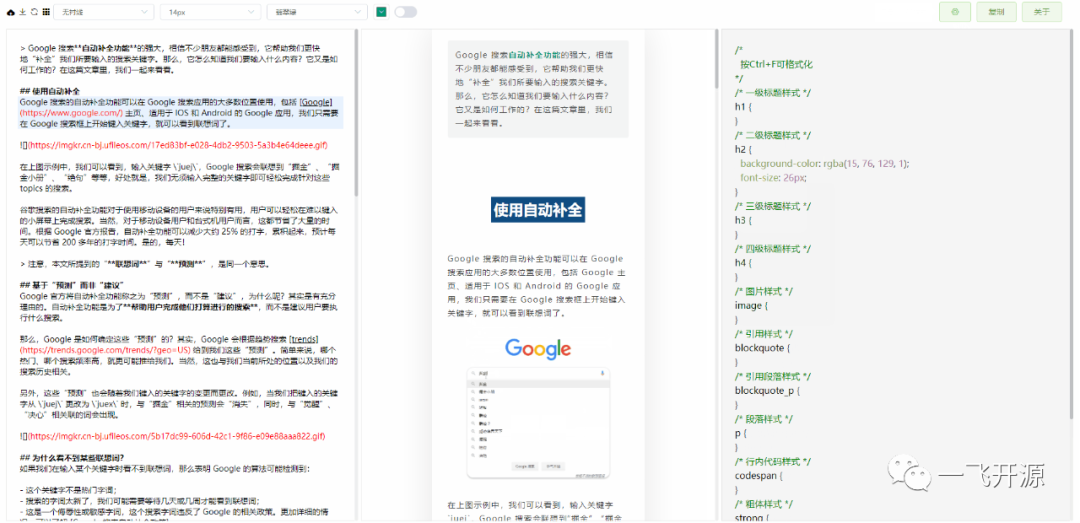
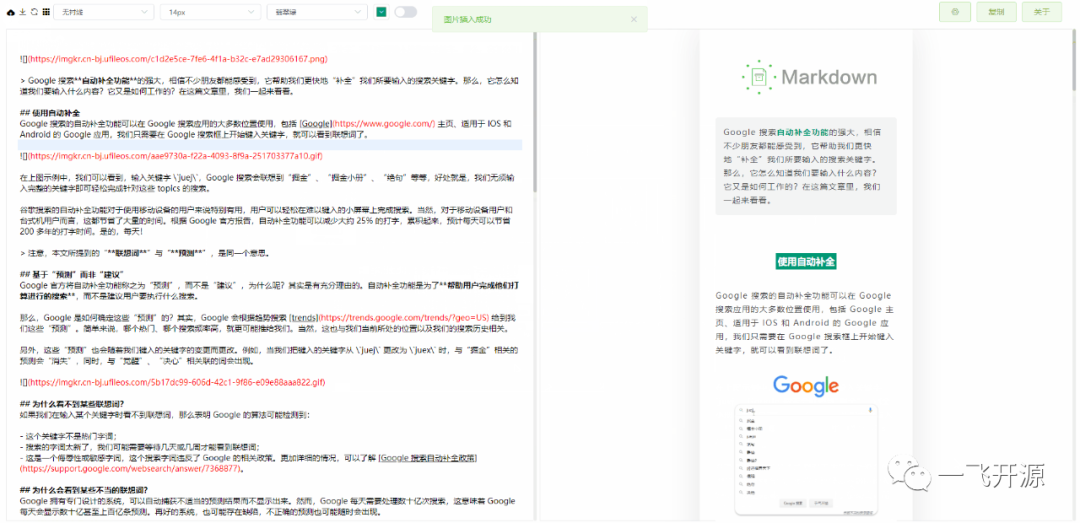
4. Feature Overview
Functional characteristics
- Supports custom CSS styles
- Supports all basic Markdown syntax
- Supports both light and dark themes
- Supports quick document formatting with Ctrl + F
- Supports color picking with a color palette to quickly change the overall color scheme of an article
- Supports multiple image uploads and custom image hosting configurations
- Supports custom upload logic
- Supports right-clicking in the editor to display a function menu
- Supports batch conversion of local images into online images
Which image hosting services are currently supported?
#
Image Hosting Service
Is configuration required?
Remarks
For details, please see
README.md
Documentation
1
Default
No
-
2
GitHub
Configure the Repo and Token parameters
How to obtain a GitHub token?
3
Alibaba Cloud
Configure the AccessKey ID, AccessKey Secret, Bucket, and Region parameters
How to use Alibaba Cloud OSS?
4
Tencent Cloud
Configure the SecretId, SecretKey, Bucket, and Region parameters
How to use Tencent Cloud COS?
5
Qiniu Cloud
Configure the AccessKey, SecretKey, Bucket, Domain, and Region parameters
How to use Qiniu Cloud Kodo?
6
MinIO
Configure the Endpoint, Port, UseSSL, Bucket, AccessKey, and SecretKey parameters
How to use MinIO?
7
Custom Upload
Yes
How to customize the upload process?
5. Tech Stack
How to Develop and Deploy
# Install dependencies
npm i

# Start development mode
npm start

# Deploy to the /md directory
npm run build
# Access [http://127.0.0.1:9000/md

#](http://127.0.0.1:9000/md

#) Deploy to the root directory
npm run build:h5-netlify
# Access [http://127.0.0.1:9000/](http://127.0.0.1:9000/)
Why Further Development?
Existing open-source WeChat Markdown editors have complicated styles that do not match my personal aesthetic preferences. When using them to format articles, I often had to make additional modifications myself, which was time-consuming and labor-intensive. Therefore, I decided to further develop the project.