[Open Source] An Online Markdown Editor Built for the Future, Saving Your Content Only Locally

1. Project Overview
Arya - Online Markdown Editor
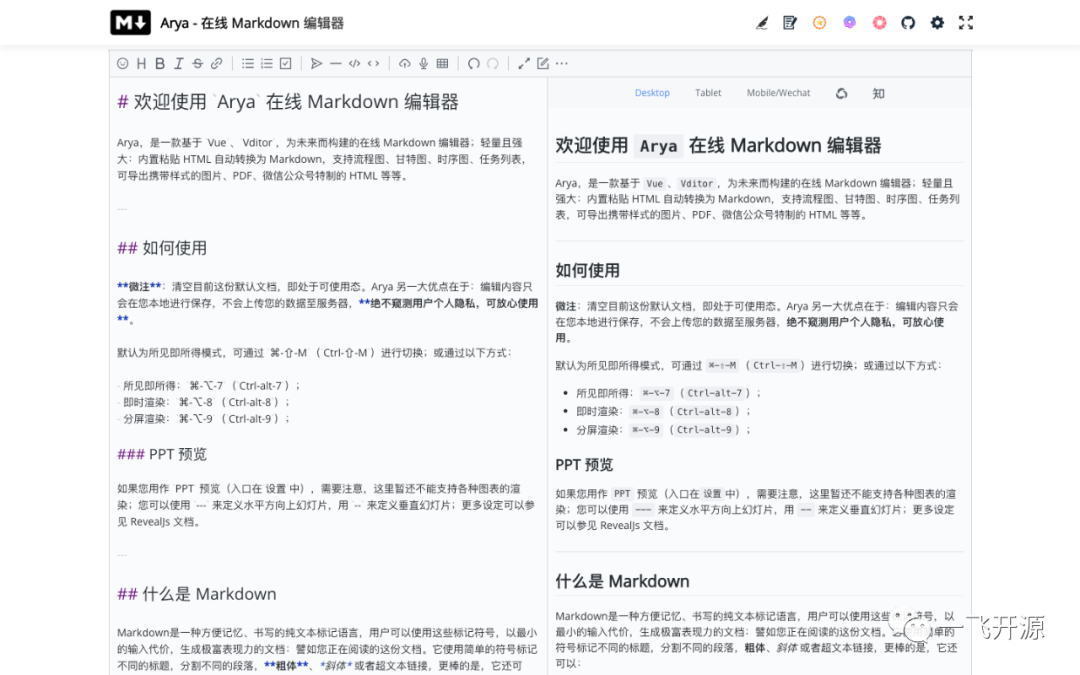
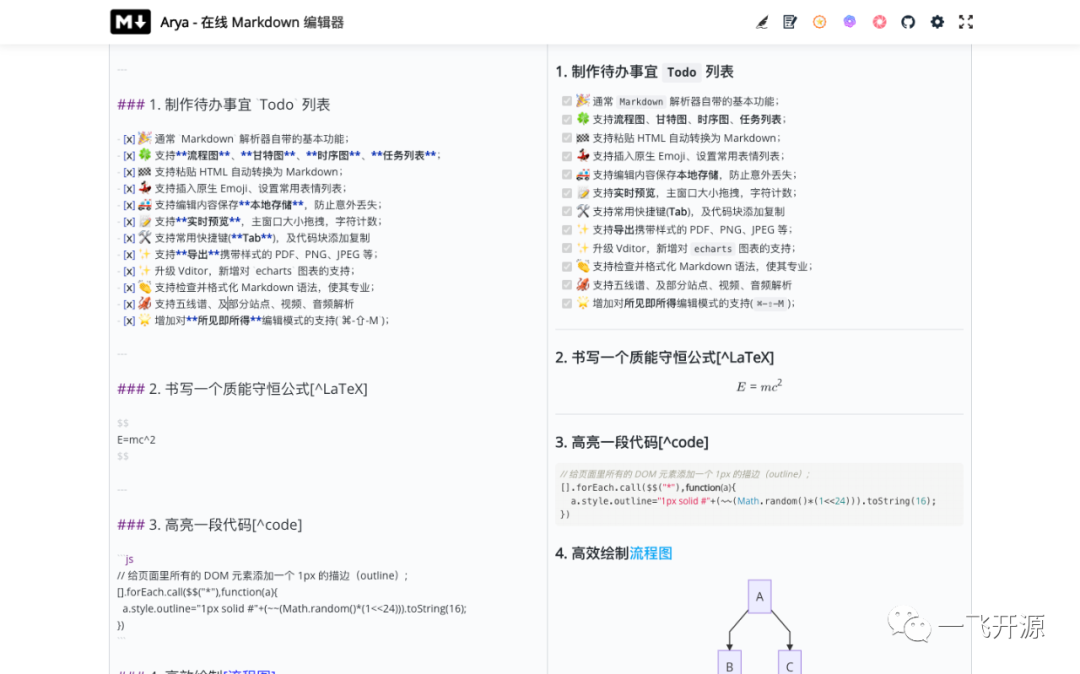
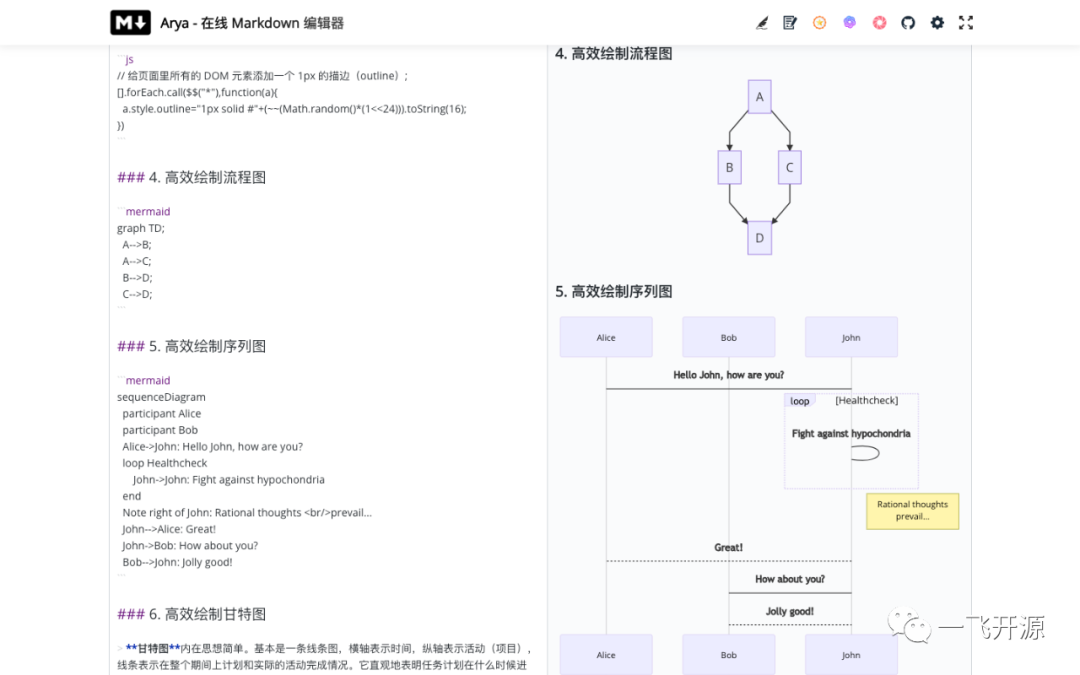
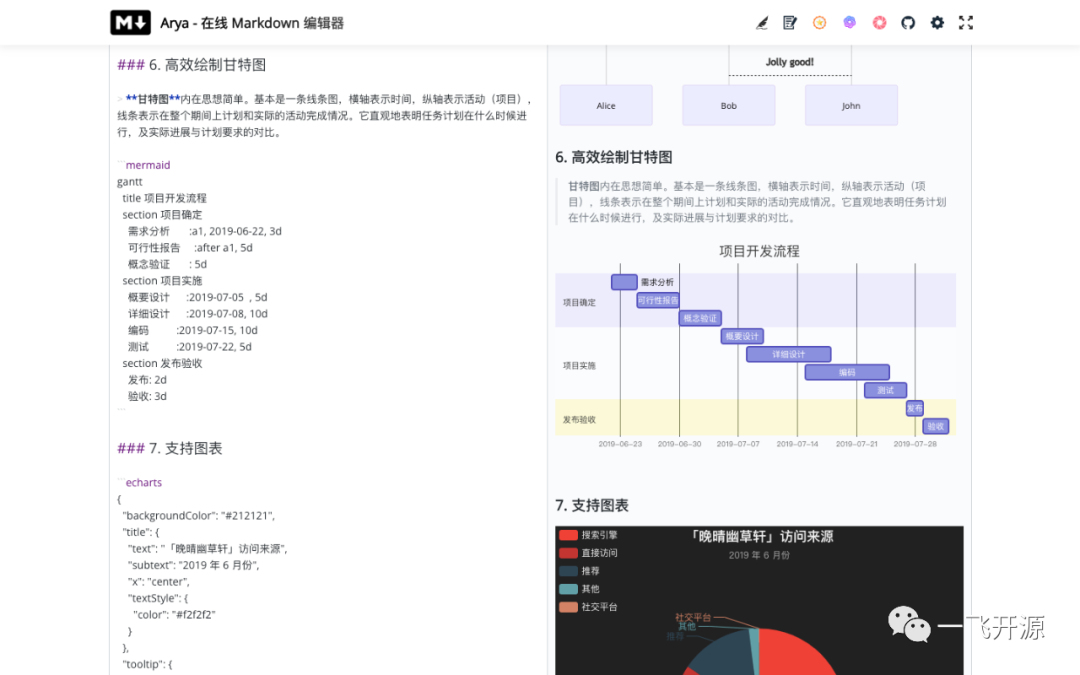
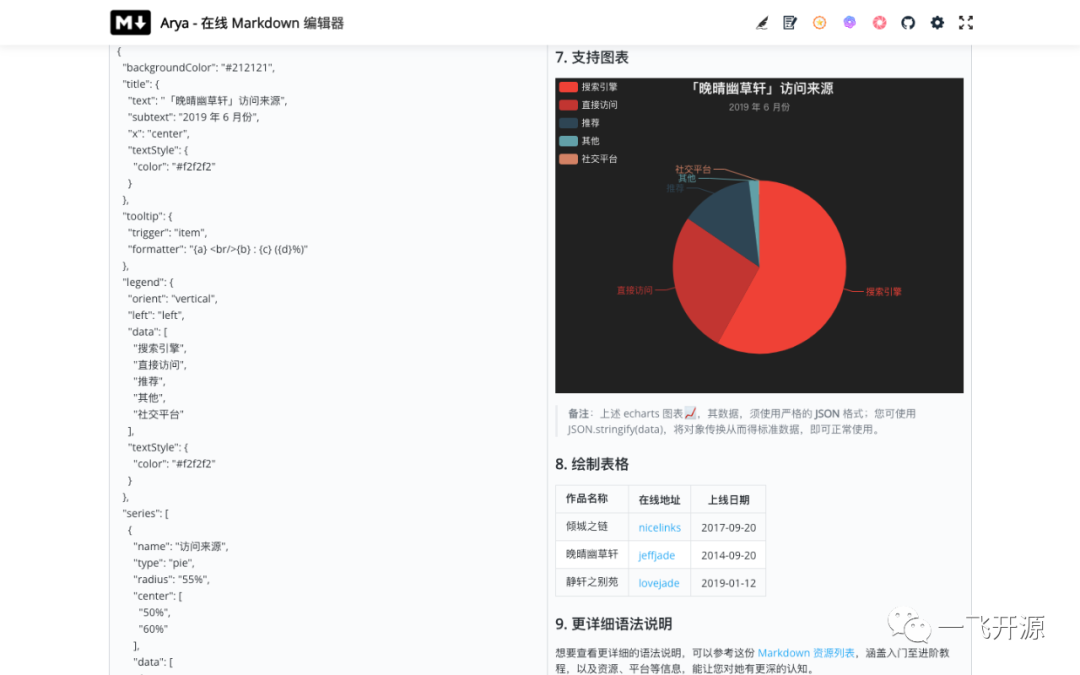
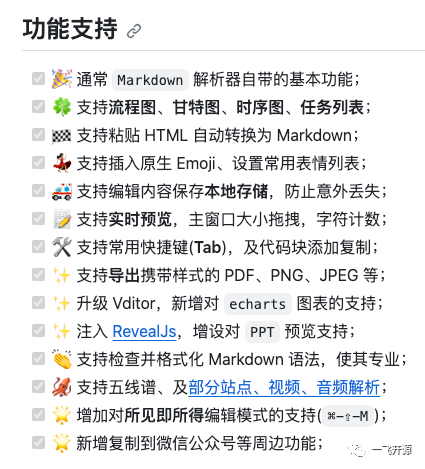
An online Markdown editor built with Vue and Vditor. It supports flowcharts, Gantt charts, sequence diagrams, task lists, ECharts charts, musical staff notation, PPT previews, video and audio parsing, and automatic HTML-to-Markdown conversion.
Arya is an online Markdown editor built with `Vue` and `Vditor`, designed for the future. Lightweight yet powerful, it features automatic HTML-to-Markdown conversion when pasting content, supports flowcharts, Gantt charts, sequence diagrams, and task lists, and can export images with embedded styles, PDFs, specially formatted HTML for WeChat Official Accounts, and more.
2. Open Source License
Licensed under MIT
3. Screenshots
4. Feature Overview
Background and Motivation
I discovered Vditor, developed by HacPai, early on. It is a next-generation Markdown editor built for the future. However, most Markdown editors currently available on the market have various shortcomings (such as incomplete features or paid advanced functionality). Therefore, driven by my own needs and impressed by Vditor's powerful capabilities, I came up with the idea of creating an online Markdown editor and named it Arya (Er Ya).
5. Tech Stack
How to Use
Simply clear the default document in the current Arya editing area to start using it.
**Note**: Once you clear the current default document, Arya is ready to use. Another major advantage of Arya is that your edited content is saved only locally on your device and is never uploaded to a server. **Your personal privacy is never monitored, so you can use it with confidence.**
The default mode is WYSIWYG. You can switch modes using ⌘-⇧-M (Ctrl-⇧-M), or use the following shortcuts:
-
WYSIWYG: ⌘-⌥-7 (Ctrl-alt-7);
-
Instant Rendering: ⌘-⌥-8 (Ctrl-alt-8);
-
Split-Screen Rendering: ⌘-⌥-9 (Ctrl-alt-9);
PPT Preview
If you use the PPT preview feature (accessible from Settings), please note that rendering of various charts is not yet supported. You can use --- to define horizontal slides and -- to define vertical slides. For more configuration options, refer to the RevealJs documentation.
Docker Self-Hosting
The latest version has been packaged as a Docker image and uploaded to Docker Hub. You can use it as follows:
Based on the example above, if you run it locally, simply open [http://localhost:8866](http://localhost:8866) to access the application. If running on a server, you can access it via http://[Server-IP]:8866. To configure a domain name, you can use the appropriate domain configuration. For instructions on building the Docker image, see: How to Build a Docker Image for the markdown-online-editor Service?
How to Develop
Special thanks
The creation of Arya is made possible by Vditor, a browser-based Markdown editor, as well as the support of open-source libraries such as Vue and reveal.js. Thanks to all contributors.