[Open Source] An Android Voice Assistant Based on ChatGPT, Using Huawei or Baidu Speech APIs

1. Project Overview
GPT Assistant
This is an Android voice assistant based on ChatGPT. It allows users to activate it from any screen using their phone's volume buttons and communicate directly through voice, providing the quickest way to ask questions and receive answers.
Free Chat · Voice Interaction · Internet Access · Image Recognition Support
2. Open Source License
Licensed under GPL-3.0
3. Screenshots
Effect Display
1. Basic Usage: Control Everything Using Only the Volume Buttons
-
Press and hold the volume down button to bring up the interface.
-
Press and hold the volume button to start voice input.
-
Release the button, then press it briefly again to send your question.
-
Replies can be automatically read aloud as they are received.

2. Trigger Using the Status Bar Shortcut
Pull down the status bar and tap the "GPT" button to bring up the interface. The keyboard will appear automatically, allowing you to enter questions manually.

3. Launch from the Global Context Menu
After selecting text, tap the GPTAssistant option in the system menu that appears to launch the app directly and add the selected text to the input box.

4. Supports Continuous Conversations
Enable the conversation icon above to retain the current session and continue chatting. (Tap the avatar icon on the left to delete or retry individual messages.)

5. Supports Uploading Images to Vision
When the selected model supports vision (such as gpt-4-vision-preview), an image button appears on the left side of the input box. Tap it to take a photo or select an image from your gallery.
You can also select this application when sharing images from other apps to add the images to the input box.

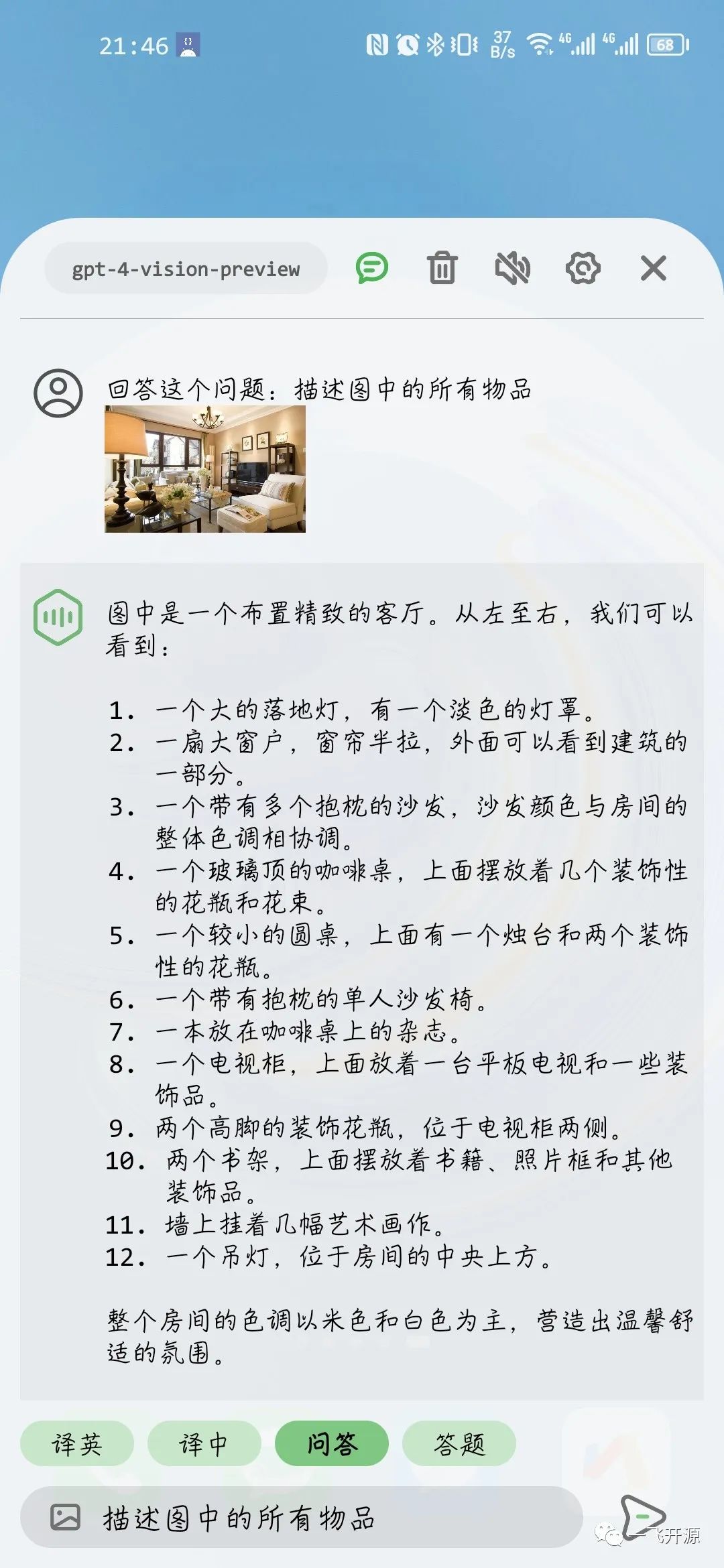
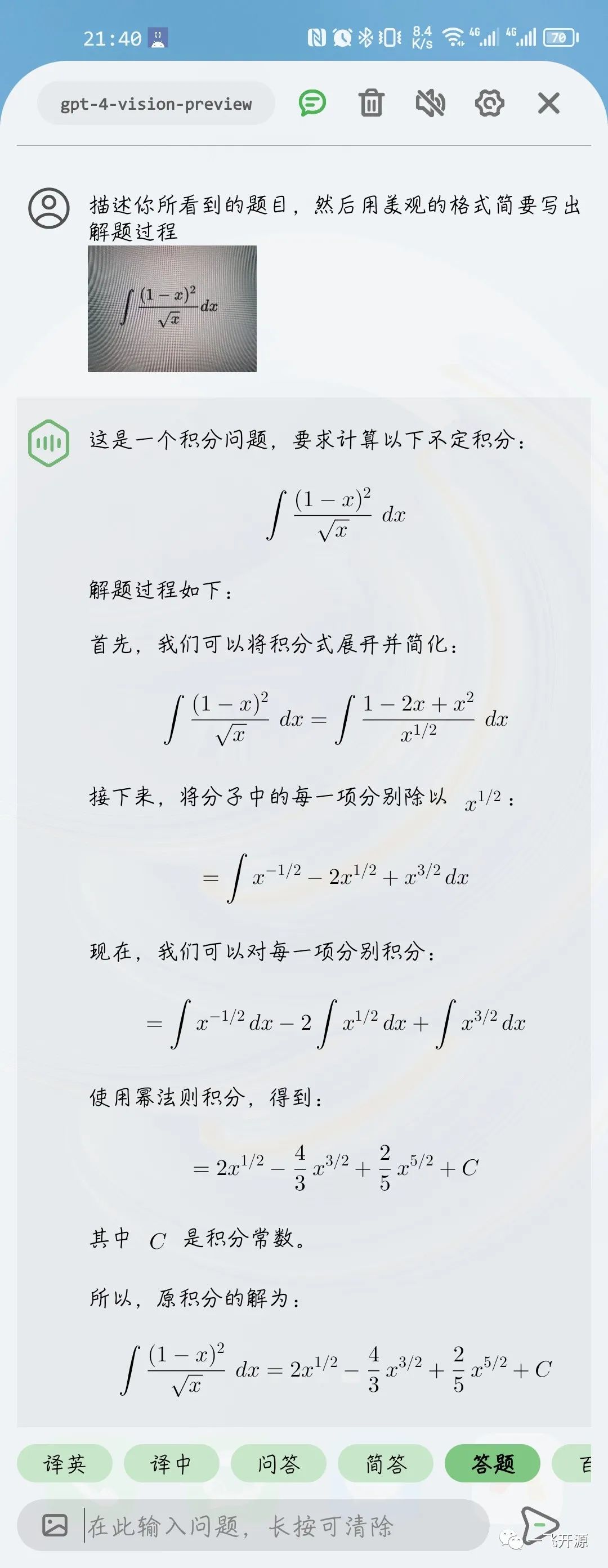
Tests show that the gpt-4-vision-preview model delivers good recognition results and can identify relatively complex images. It can be used for scenarios such as identifying objects from photos, translating text, and answering questions from photographed exercises.
Note: Vision models are generally not available for free (such as through Chatanywhere). Users who need this functionality can consider paid services.
6. Supports GPT Internet Access
This application implements OpenAI's Function interface, allowing GPT to initiate web requests. The application automatically returns the required webpage data to GPT, enabling internet access (the internet access option must first be enabled in Settings).
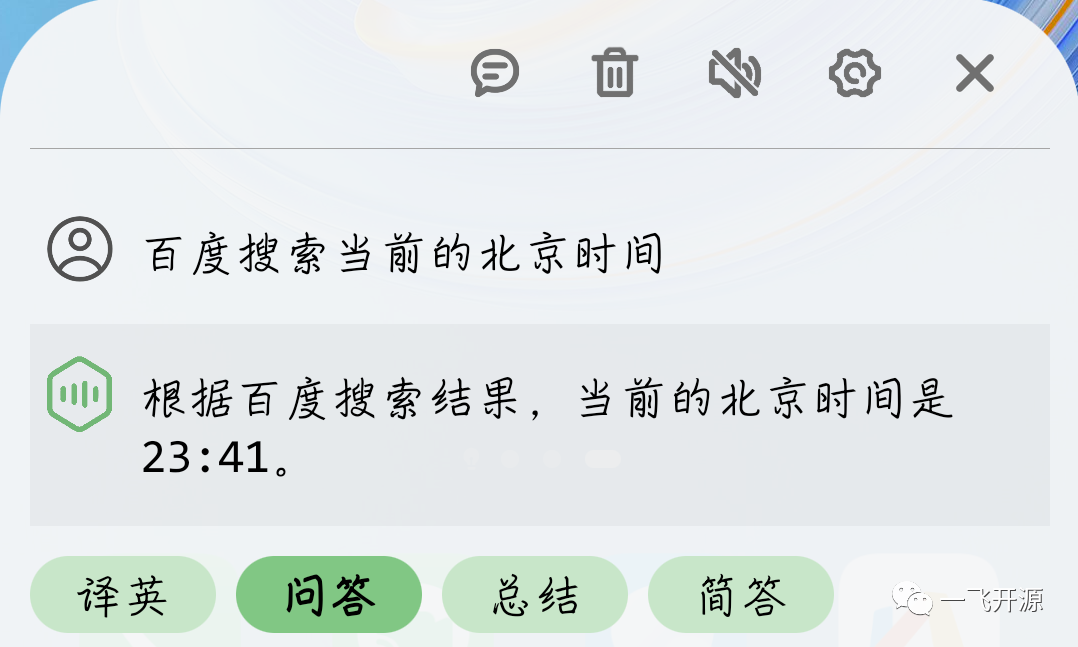
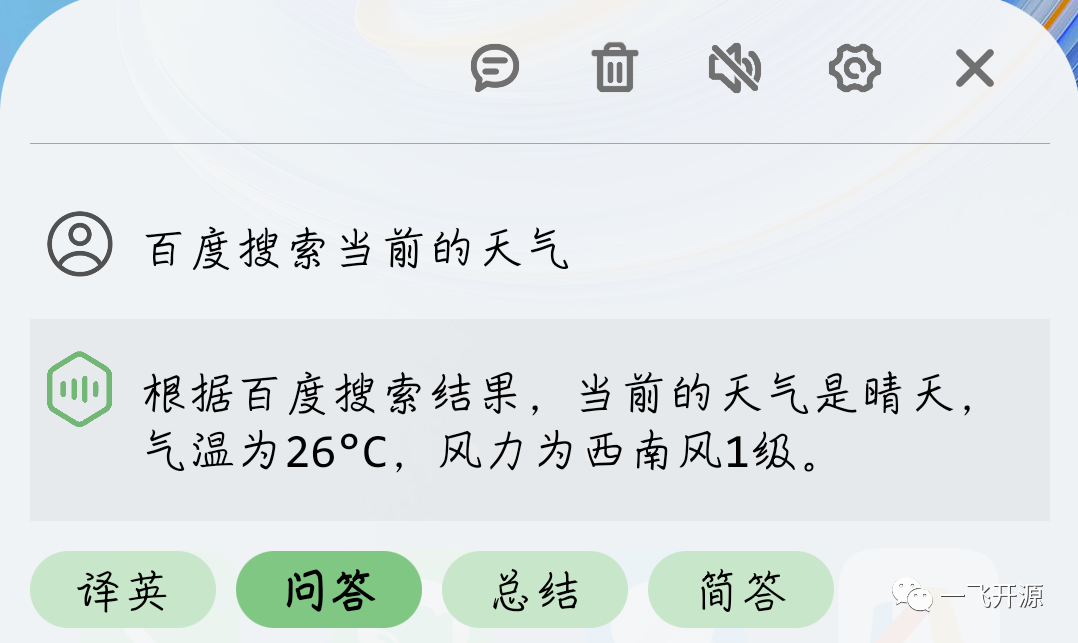
Note 1: All the results shown above were tested using the gpt-3.5-turbo model. For better web search results, it is recommended to include phrases such as "Baidu Search", "Retrieve Online", or "Get from xxx" in your questions to guide GPT.
Note 2: Since webpage content needs to be sent to GPT, internet access consumes a large number of Tokens. Use the gpt-4 model with caution.
Note 3: The gpt-4-vision-preview model does not currently support internet access.
4. Feature Overview
[New Vision Image Recognition] An Android voice assistant based on the ChatGPT API (available in China). It can be activated using the volume buttons for voice conversations and supports internet access, Vision image recognition through the camera, continuous conversations, question templates, 3.5/4.0 APIs, Markdown rendering, and more.
Project characteristics
-
Supports user-defined question templates, continuous conversations, and models such as gpt-3.5-turbo and gpt-4.
-
Supports internet access, allowing GPT to retrieve online webpages.
-
Supports taking photos or uploading images from the gallery to the GPT Vision model.
-
Uses Accessibility features to capture volume button events, allowing the app to be activated from any screen.
-
Supports direct activation from the global context menu (the system menu that appears after selecting text).
-
Supports activation through the status bar shortcut button.
-
Supports Markdown rendering.
-
Uses Huawei or Baidu Speech API for voice input.
-
Uses the system TTS engine for voice output.
Usage Instructions for China
This software retrieves responses through the OpenAI API. When used in China, third-party proxy services such as Chatanywhere can be used. Chatanywhere currently offers free and paid services. See the instructions below for details on how to use it.
Note: Chatanywhere registration requires a GitHub account, so you need a network environment that allows you to log in to GitHub during registration.
Pricing Information
This software does not charge any fees. Users can access all features for free. However, under certain circumstances, the following third-party services may incur charges:
-
ChatGPT API Usage Fees
-
Taking Chatanywhere as an example, its current free service limits gpt-3.5-turbo API calls to no more than 60 requests/hour/IP&Key, which is sufficient for personal use. If you need a higher request rate or access to the gpt-4 model, you can choose a paid service.
-
Baidu Speech Recognition API Fees
-
Huawei HMS currently provides a free speech recognition API. Therefore, the application includes the author's API Key for direct use. Unless special circumstances arise, this API will remain available throughout Huawei's free service period.
-
The application also supports Baidu's API for users who need it. Baidu currently offers new users 150,000 free short speech recognition requests & a 180-day free quota. Usage beyond the free quota is charged at ¥0.0034 per request.
5. Tech Stack
Usage
1. Download and Install
Simply download the APK file from the latest release and install it.
2. Configure OpenAI
This application uses the OpenAI API. Users need to enter their own API_KEY in Settings. You can choose either the official service or a third-party proxy service.
-
Using the Chatanywhere Proxy Service (Recommended for China)
-
Chatanywhere provides free and paid OpenAI API proxy services. The current free service limits usage to 60 requests/hour/IP&Key, while the paid service has no such limit. It can be accessed directly from China. Users can refer to the project's homepage to obtain the endpoint URL and KEY and enter them in Settings.
-
Using the Official Service
-
Register an account on the OpenAI official website and obtain an API_KEY. Enter the URL [https://api.openai.com/ and API_KEY](https://api.openai.com/ and API_KEY) in Settings.
3. Configure Baidu Speech Recognition (Optional)
Note: The application uses Huawei's speech recognition API by default. Unless there are special circumstances, this step is not required.
Users can refer to the official Baidu Speech Recognition documentation to register and create an application, then obtain the AppID, API Key, and Secret Key and enter them in Settings.
If the "Enable Long Speech" option in Settings is disabled, the Baidu Short Speech Recognition API will be used. If enabled, the Real-Time Speech Recognition API will be used. Users need to select the corresponding service when creating an application according to their requirements.
Additionally, when creating an application, set the "Speech Package Name" to "Android" and enter this software's package name: com.skythinker.gptassistant.

4. Getting Started
-
Enable the Accessibility service as prompted by the application and allow the application to run in the background.
-
Check whether the "Display pop-up windows in the background" permission is available in Settings. If it is, grant the permission; otherwise, ignore this step.
-
If the phone vibrates once after you press and hold the volume down button but no interface appears, this is most likely due to the missing permission.
-
You can now start using the application normally. Refer to the operation steps in the feature demonstration.
Privacy Statement
This application does not collect users' personal information in any way. Voice input is sent directly to Huawei or Baidu APIs, and questions are sent directly to the OpenAI API without passing through any other intermediate servers.
Referenced Open-Source Projects
-
Markwon: A Markdown renderer for Android.
-
chatgpt-java: A Java wrapper for the OpenAI API.