[Open Source] A Block-Based Rich Text Editor Focused on Both User Editing Experience and Developer Experience

1. Project Overview
Minditor is a block-based rich text editor that focuses on both the editing experience of end users and the developer experience.
2. Open Source License
Licensed under MIT
3. Screenshots

4. Feature Overview
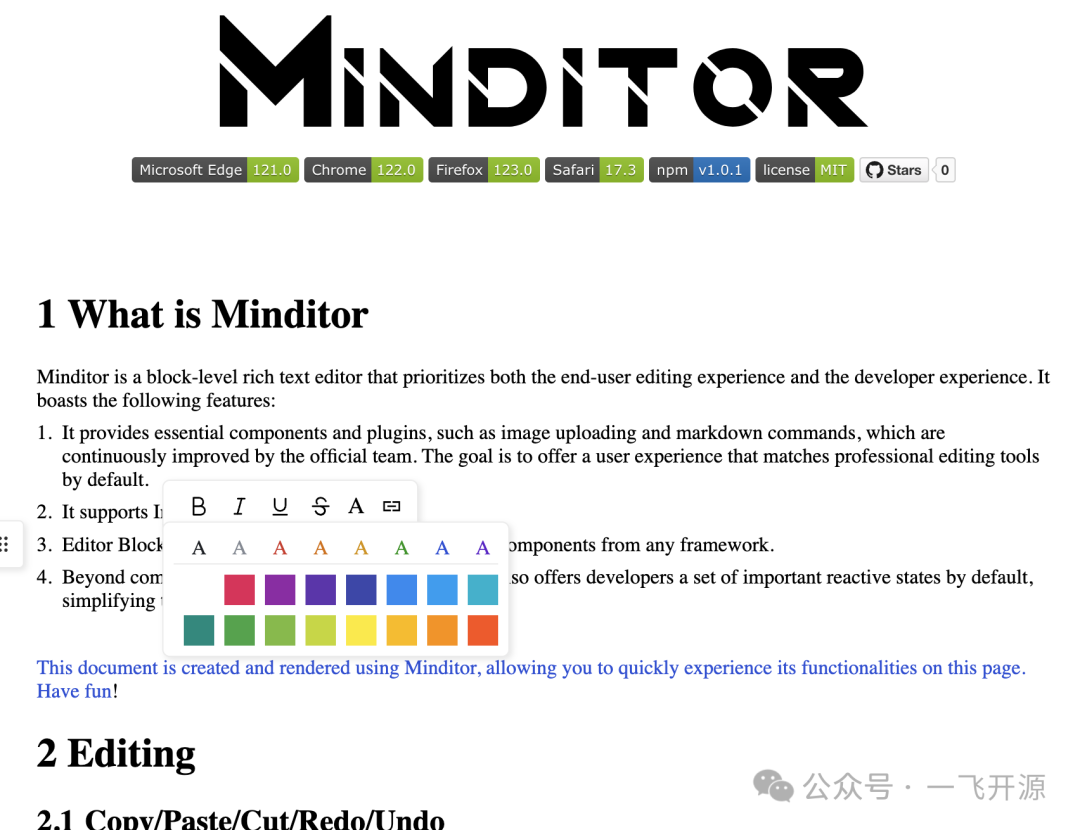
Minditor is a block-based rich text editor that focuses on both the editing experience of end users and the developer experience. It has the following features:
Important components and plugins, such as image uploading and Markdown commands, are already provided and will be continuously improved by the official team. The goal is to deliver a professional editing-tool experience out of the box.
Supports InlineBlock, allowing content to be inserted inline.
Components from any framework can be used to implement the editor's Block/InlineBlock.
In addition to common events and APIs, the Plugin system provides developers with a series of important reactive states by default, making Plugin development extremely simple.
Editing
Copy/Paste/Cut/Redo/Undo
Supports right-click menus and keyboard shortcuts for copying, pasting, cutting, undoing, and redoing by default.
markdown commands
Minditor provides the following commands for quick editing by default:
-
Type # + Space to insert a Heading. The number of # symbols determines the Heading level.
-
Type 1. + Space to insert automatic numbering in a Heading.
-
Type - + Space at the beginning of a paragraph to insert an unordered list.
-
Type 1. + Space at the beginning of a paragraph to insert an ordered list.
-
Type + any text + to insert Inline Code.
-
Type ``` + language + Space at the beginning of a paragraph to insert a code editor.
Range Tool Plugin
Selecting text with the mouse displays a floating toolbar for changing font styles or creating links.

Insert Suggestion Plugin
Type / to display a dropdown menu containing insertable components. If / is entered at the beginning of an empty line, both Block and InlineBlock components will be available.

Block Tool Plugin
Move the mouse over any Block to display a floating toolbar on the left, providing default tools for deleting, copying, pasting, and inserting Blocks.
More content, please refer to README.md document
5. Tech Stack
Development
Installation and Initialization
More content, please refer to README.md document